







WC-250 / Forming
Press Insertion / Emboss
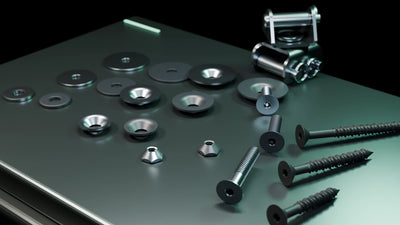
Install pressed hardware or form embossed features through a controlled secondary operation with tooling and acceptance attached.

Work centerWC-250
OperationPress insertion / embossing / secondary forming
Routing modeFirst article / repeat production
Commercial modeQuoted independently per reviewed project
Every project is reviewed and quoted independently.
PRESS ROUTE
Put the hardware or feature exactly where it belongs.
The work center keeps part condition, tooling, orientation, support, and acceptance criteria together.
- 01Review the feature
Confirm the hardware or emboss geometry, material, thickness, orientation, quantity, and acceptance requirements.
- 02Release tooling + support
Keep installation direction, access, support, tooling, and part protection attached to the operation.
- 03Press the feature
Complete the released insertion or emboss scope for the approved setup and lot.
- 04Check + hand off
Verify location, seating or form, and release parts to assembly, finish, inspection, or packaging.
WORK-CENTER RECORD
The fields production will need later.
- Typical input
- Released part / hardware or emboss requirement / material / quantity
- Released output
- Pressed or embossed part / operation check / next-route identification
- Required handoff
- Finish / assembly / inspection / packaging
- Schedule unit
- Estimated and scheduled per reviewed setup and lot
- Quality gate
- Location, seating, retention, or formed feature checked per project
- Capability boundary
- Part material, thickness, hardware, feature geometry, tooling, access, force, acceptance, quantity, price, and lead time are confirmed during review.